
Home › Dictation › Heard in Visit Recording (Clinic)
Heard in Visit Recording (Clinic)
During and after an outpatient Abridge visit, the Heard in Visit Recording (HIVR) section in Epic fills with what Abridge heard: the orders you said out loud and the diagnoses you discussed, ready for you to choose and sign. HIVR is available for outpatient visits only at this time. It is coming to the ED and hospital later.
New to Abridge? Start with Abridge: Your First Visit, which covers recording in Haiku and pulling the note in. This page picks up once the recording is processed.
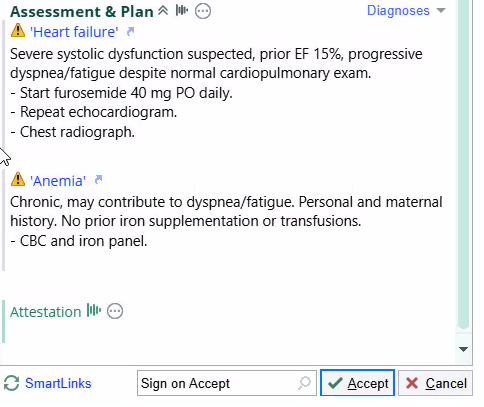
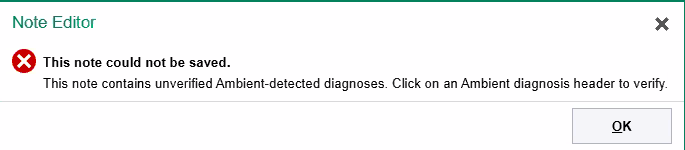
Abridge adds each problem it heard to the note's Assessment & Plan with a yellow warning sign. Epic will not save or sign the note until you pick the matching diagnosis for each one in Heard in Visit Recording and sign or file it.
Verify the diagnoses, step by step
Orders flow in during the conversation. Most are already waiting before you press and hold Create note, though not always all of them.
Diagnoses usually arrive only after Abridge has processed the note. Now and then a few come in during the visit as well.
Four steps, all in Hyperspace. The screenshots use a test patient.
The recording is processed
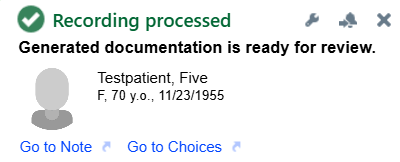
When Abridge finishes, Epic shows Recording processed: generated documentation is ready for review. Go to Note opens the note, and Go to Choices opens the choices Abridge heard. This is usually when the diagnoses arrive.
Pick the diagnosis for each problem
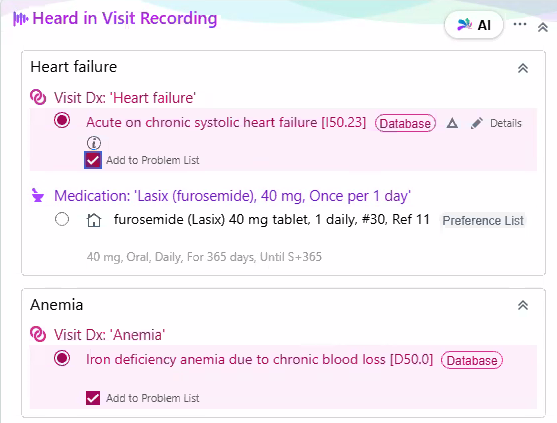
In Heard in Visit Recording, each problem Abridge heard has its own group, such as Heart failure and Anemia. Under Visit Dx (visit diagnosis), select the diagnosis that matches what you mean, for example Acute on chronic systolic heart failure.
Add to Problem List is checked for each diagnosis. Orders Abridge heard sit in the same group, such as furosemide (Lasix) 40 mg daily: select the ones you want.
Sign, or Add to Cart & File
At the bottom of the section, click Sign (Alt+S) to sign the selected items now. Or click Add to Cart & File: the selected orders go to your order cart to sign later, and the diagnoses are filed now. Either one verifies the diagnoses.

The note updates
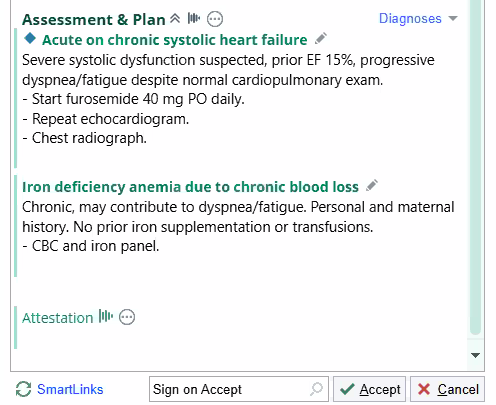
Back in the note, each warning header is replaced by the diagnosis you chose. Review the rest of the note, then sign it.
If you skip it
Until a diagnosis is verified, its header in the Assessment & Plan shows a yellow warning sign and the name Abridge heard, in quotes. Hover over the warning to see why: "This diagnosis must be verified before signing the note."
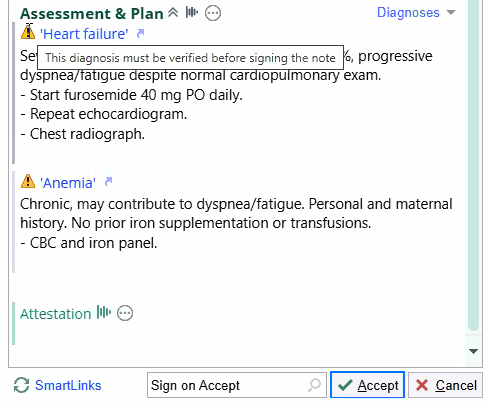
Try to accept or sign the note anyway and Epic stops you: "This note could not be saved." Click OK, then verify the diagnoses in Heard in Visit Recording (steps 2 and 3).
Orders you said out loud
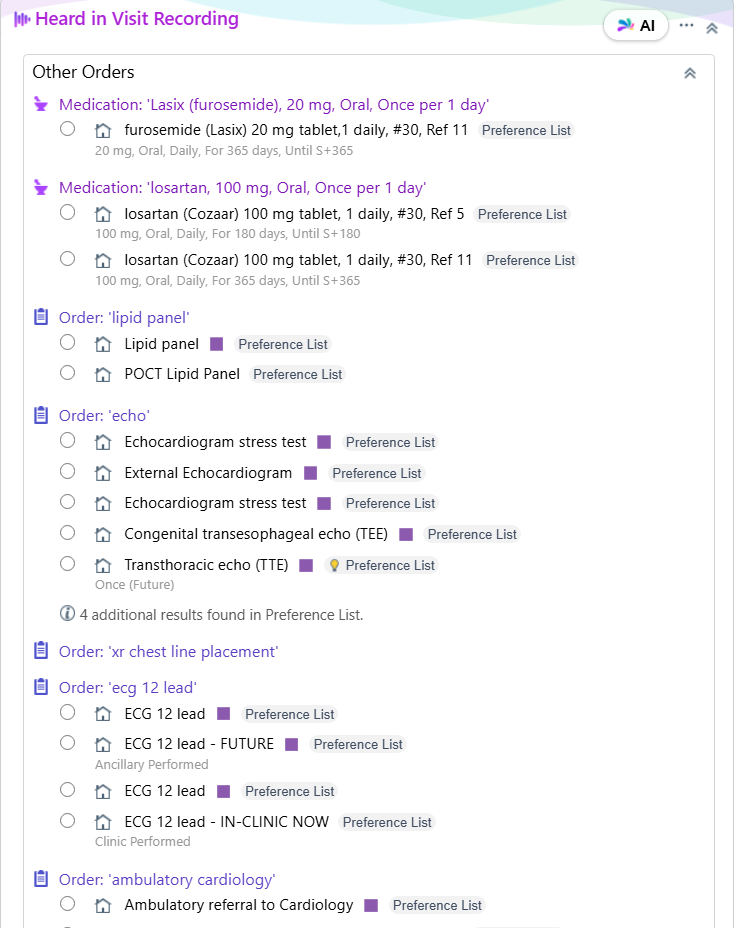
HIVR also holds all orders you verbalized during the visit: medications, labs, imaging, and referrals. Most of them flow in while you are still talking, so they are usually waiting before you press and hold Create note. Expand an order and pick the version you want, exactly as you would from a Preference List.
Everything you said out loud is queued in the encounter for your review and signature, and nothing is placed until you select it and sign. Orders fill HIVR only while Orders is set to On in your Abridge settings.
More on Abridge
Ten minutes of settings, and every future note reads the way you write.
Set your preferences →Trackboard, note types, pulling a prior note forward, and habits by setting.
See your setting →