
Home › Epic › Day One and Week One
Day One and Week One
The 48 hours before go-live, the downtime overnight, and what to do for every patient when Epic comes up early Saturday morning, October 24.
Four things that catch people in the first week, from results release to pended orders, are on Don't Be Surprised.
Cutover: what happens when
Cutover is how the patients already in the hospital show up in Epic the moment it opens. Nurses, pharmacists, and about 60 analysts move every admitted patient's active chart from Meditech into Epic so you do not start from scratch. It is a tried and true plan run at every Epic go-live.
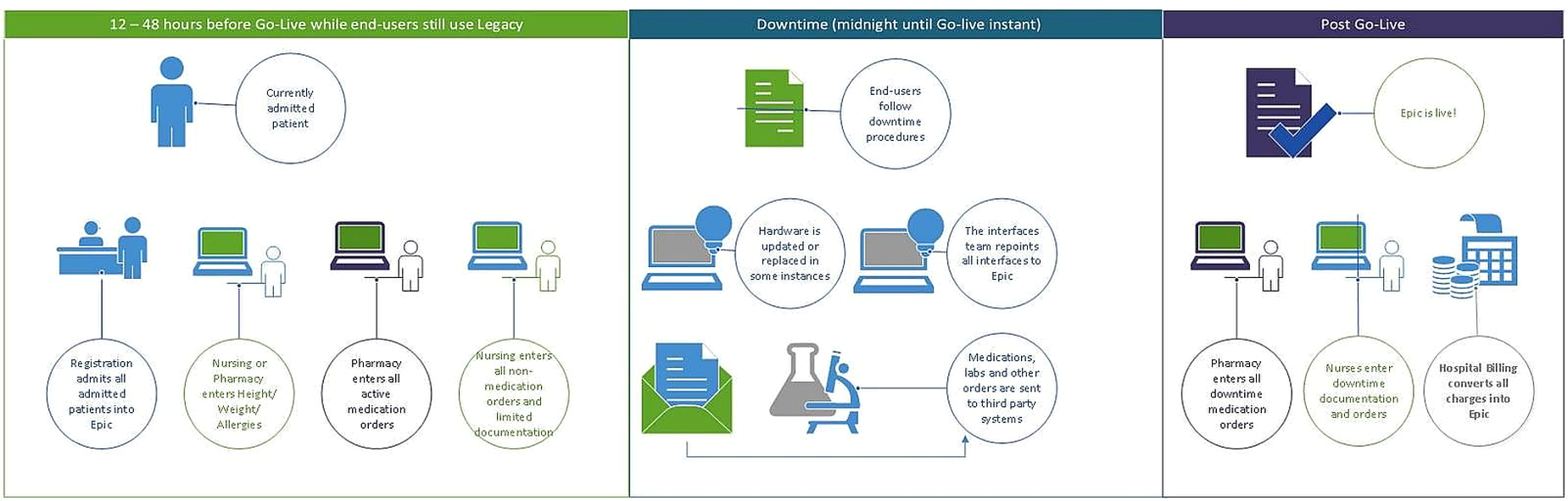
Not the same as conversions (the historical notes, labs, and imaging pulled into Epic, see below) or abstraction (future appointments, surgical cases, and scheduled labs pre-loaded into Epic about four weeks out).
First-day checklist: October 24
Twelve checks for every patient you round on, with screenshots for each step.
Open the checklistClinic first-day checklist: October 26
Twelve checks before your first clinic patient and at the end of the day.
Open the checklistStuck? Get help in this order
Start with your Quick Start Guide: Inpatient or Outpatient. Still stuck? Work down this list. Ask in person first: a ticket is for what nobody nearby can fix.
Press F1 anywhere in Epic
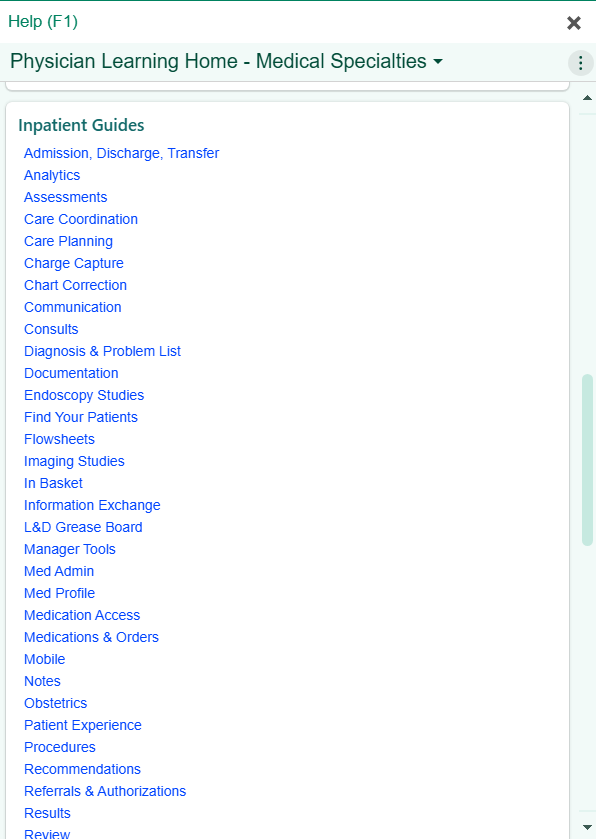
F1 opens the Physician Learning Home: hundreds of one-page Freeman tip sheets with screenshots, one bite-sized workflow each (writing a note, finding your patients, cosigning). Forgot what training covered? Look here before you find a vest. It stays available after go-live.
Find a Super User in your building
Super Users wear black vests and are on every unit and in every clinic, for at-the-elbow help. Most do not have a phone line: track one down in your building and talk it through.
Around 650 Freeman Super Users work alongside Epic floor support staff, who round every unit and clinic day and night for the first days, then taper over two weeks. Both are visibly marked.

Still stuck? Your Epic Physician Champion or service line director
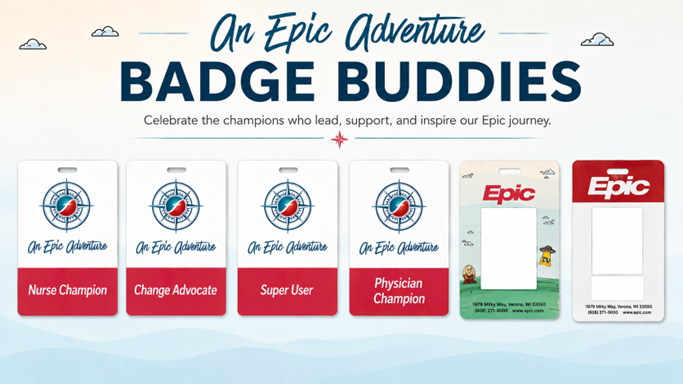
You should know who your service line director is and who the Epic Physician Champions are in your area. Champions have extra Epic training and wear the Physician Champion badge buddy: ask them.
Every day at 5:00 PM for the first two weeks, Physician and APP Champions bring what is truly broken (a med that will not go through) so resources move fast; extra-click frustrations go on the optimization list.
Your specialty exemplar, if you have one
Practicing physicians and advanced practice providers (APPs) from other Epic organizations, matched to your specialty, on site four to five days to round with you, tune your settings, and unstick workflows. See who is coming, and when →
Something broken? Call the Command Center
417-347-4500 24/7
Call or file a ticket for what is actually broken: a device that will not work, an order that will not go through, access you should have but do not. The same number is the IT Support Help Desk: logins and passwords, Epic access, Dragon, missing icons, and hardware. IT, Epic, and leadership work in one room, patient safety issues first.
Or submit a service request at fhsitsm.saasit.com. Until October 24, report Epic problems through the Something Broken? tile.Epic problems go through the Something in Epic? tile, so they reach the Epic support teams directly. Add the medical record number (MRN) or contact serial number (CSN) if the form asks, and paste a screenshot. Which tile to use is on the On-Site & IT page.
An idea to make Epic better
Not broken, just slower than it should be, or extra clicks? Send it to Epic Suggestions. Your Super User can tell you first whether it is a how-to question.
Other numbers
Imprivata setup for Electronic Prescribing of Controlled Substances (EPCS): 417-347-3227 (from a Freeman phone, dial 347-3227), 8 a.m. to 4 p.m., Monday to Friday. EPCS remote setup →
What history you will see in Epic
Separate from cutover, recent clinical history converts from the legacy EMRs: Meditech, AthenaFlow, Clarity, and Avatar. How far back, by data type:
Older records: Meditech, AthenaFlow, Clarity, and Avatar stay view-only after November 17, until the legacy archive is operational (estimated April 2027) and a button in Epic launches you to those notes. Only signed legacy notes convert, so sign your Meditech and AthenaFlow EMR notes now.
Full data conversion details (PDF): what existing data will be in Epic at go-live